Stacklane shelf
PinScout
Lead desk for Google Maps, Google Business, LinkedIn, and Facebook Pages. Lifetime license — no subscriptions, never expires.
Lifetime License Guarantee
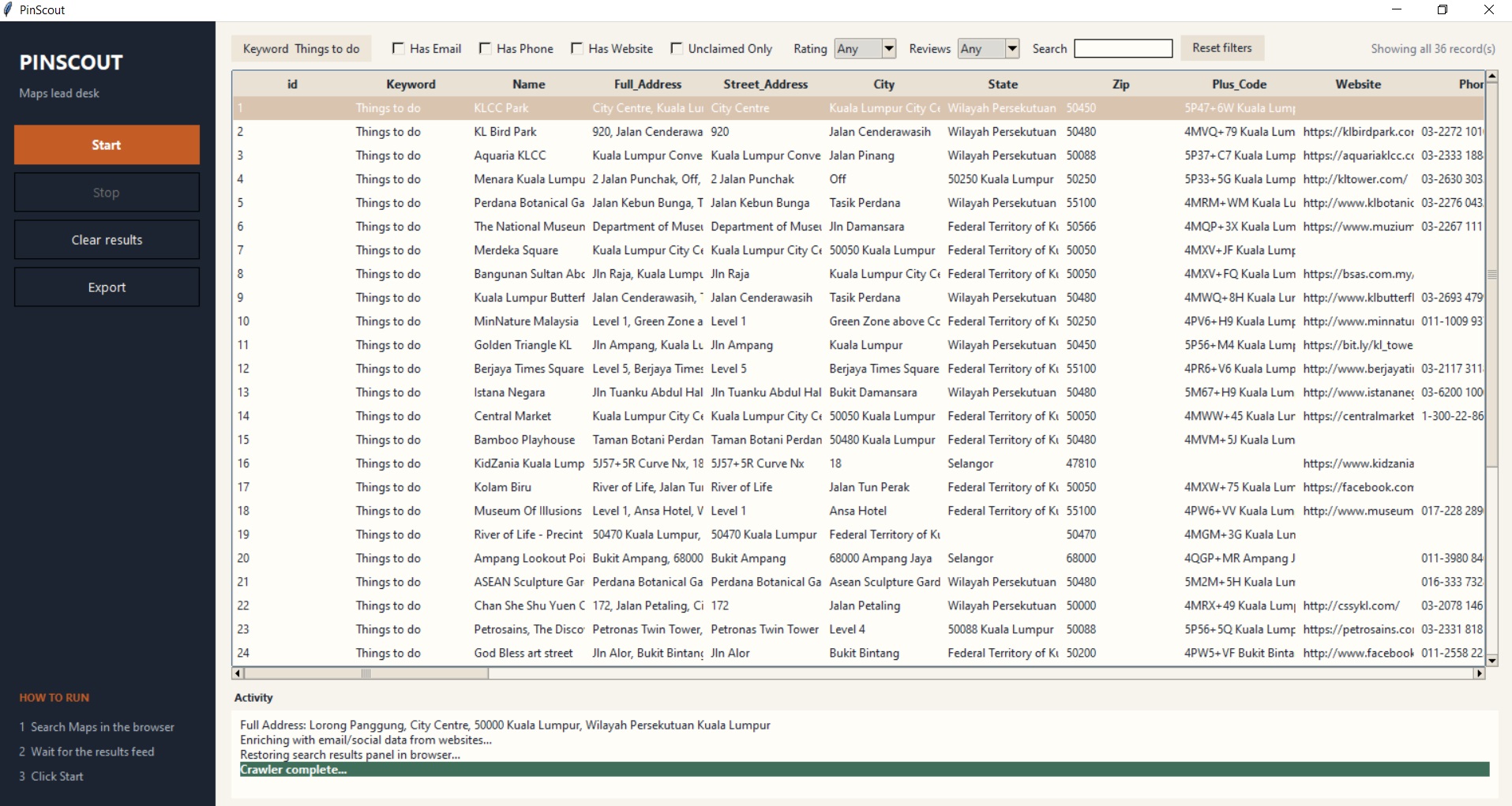
PinScout is a desktop lead desk that opens your installed Google Chrome while you search. Pick a bot at launch, or switch anytime from the Mode list: Google Maps listings (55 structured columns), Google Business local results, LinkedIn people profiles, and Facebook Pages. You search in a real Chrome window; PinScout extracts the feed, lets you choose which fields to export, enriches Maps and Google Business contacts with emails and socials from the business website, filters the live table, and writes Excel plus cover photos when you click Export. Pay once — the license key never expires.
You are responsible for complying with Google, LinkedIn, and Facebook terms of service, applicable laws, and website robots/terms when using this tool. PinScout is intended for personal and research use. Sites may block or limit access; use at your own risk.
Current version 1.0.0
Screenshots
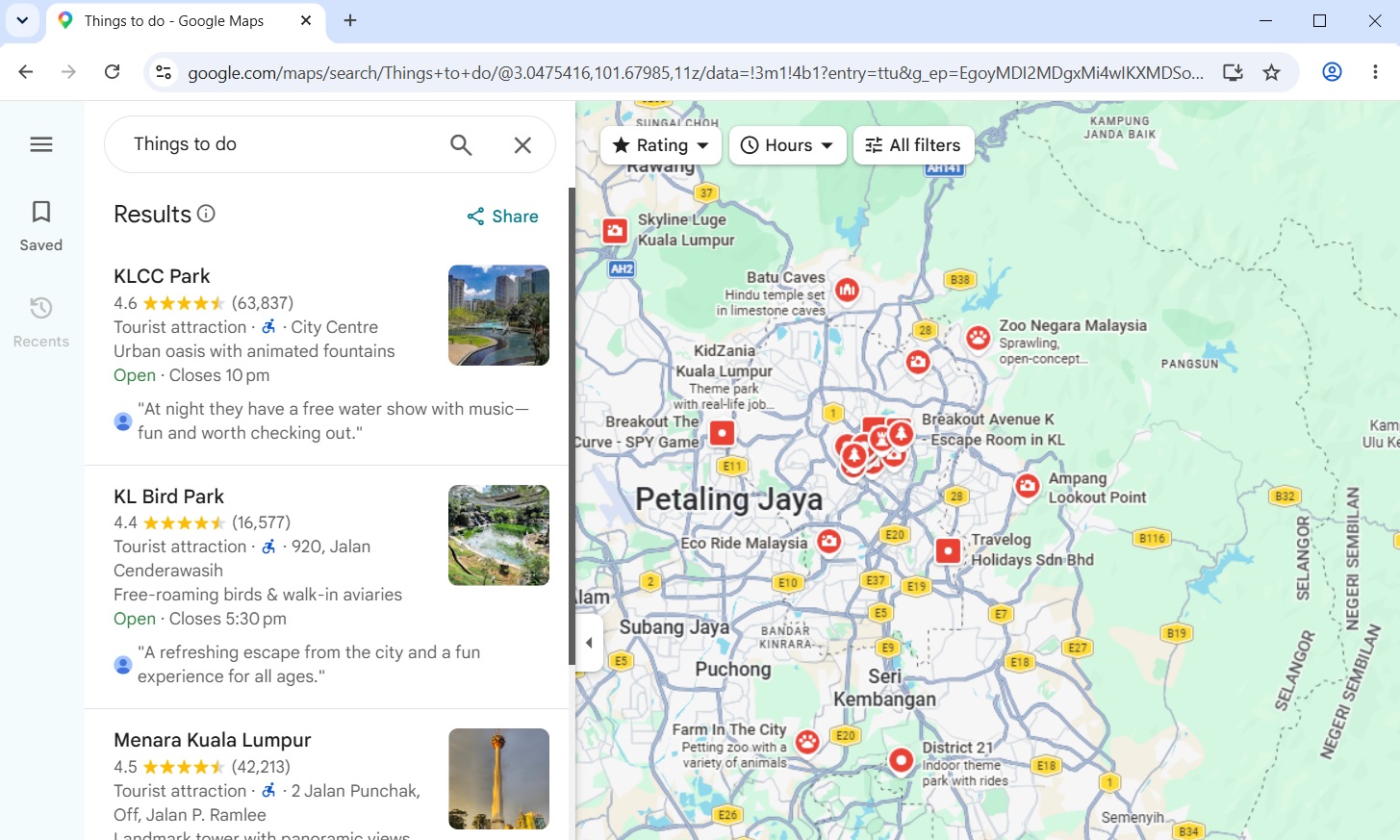
From a real PinScout session — dashboard beside the Chrome window you search in.
What it does
The same capabilities you get after activating your license — four bots in one desktop app.
-
Four bots, one Chrome window
Choose Maps, Google Business, LinkedIn, or Facebook Pages at launch, or switch later from the Mode list. Chrome opens on the matching site.
-
You search, PinScout extracts
Opens your installed Google Chrome (not a hidden browser). You run the search yourself; PinScout reads the results feed and fills the dashboard.
-
Google Maps — 55 columns
Name, address parts, phone, website, email, socials, lat/lng, category, rating, reviews, star histogram, hours (Mon–Sun), amenities, Maps URL, and more.
-
Google Business listings
Clicks each card in the left list and scrapes the detail box — hours by day, services, rating, reviews. Set a record limit before Start.
-
LinkedIn people search
Pulls headline, company, experience, education, certifications, skills, languages, about, connections, and contact info from people-search profiles.
-
Facebook Pages
Company and Pages search: about, website, phone, email, location, hours, likes, followers, rating, reviews, and Instagram.
-
Customize extract fields
Tick which columns to scrape and export for the current bot. Optionally remember the set for future runs.
-
Website contact enrichment
For Maps and Google Business, visits each site to pull emails and socials (Facebook, X, Instagram, YouTube, LinkedIn, TikTok, Pinterest).
-
Filter & filtered Excel export
Has Email / Phone / Website, Unclaimed Only, min rating, min reviews, live search. Export writes only the filtered subset to .xlsx.
-
Cover photos on export
Downloads main cover photos to output/photos/ only when you click Export — keeps scraping fast. Already-scraped URLs are skipped if you Start again.
How to run
-
01
Launch
Start PinScout and pick a bot. Chrome opens on Maps, Google Business, LinkedIn, or Facebook.
-
02
Search in Chrome
Type your query on that site (e.g. “Coffee Shops in Austin” or a people search).
-
03
Start in PinScout
Click Start. Google Business asks how many records. The live table fills as listings extract.
-
04
Filter & export
Filter the grid, then Export for Excel + cover photos.
After purchase: download the installer, then activate with your Stacklane license key. Dev builds need Python 3.10+ and Google Chrome.