Stacklane shelf
PinScout Agency
Same PinScout desktop app for up to 5 PCs. Lifetime license — no subscriptions, never expires.
Lifetime License Guarantee
PinScout Agency is the team edition of the PinScout lead desk — Google Maps, Google Business, LinkedIn, and Facebook Pages — licensed for up to 5 machines (owner, teammates, VAs, and a second PC). Same full desktop capabilities: you search in Chrome, PinScout extracts, you choose export fields, filter the table, and export to Excel with cover photos. Permanent activation. Pay once — no monthly fees, no renewals, and the key never expires.
You are responsible for complying with Google, LinkedIn, and Facebook terms of service, applicable laws, and website robots/terms when using this tool. PinScout is intended for personal and research use. Sites may block or limit access; use at your own risk.
Current version 1.0.0
Screenshots
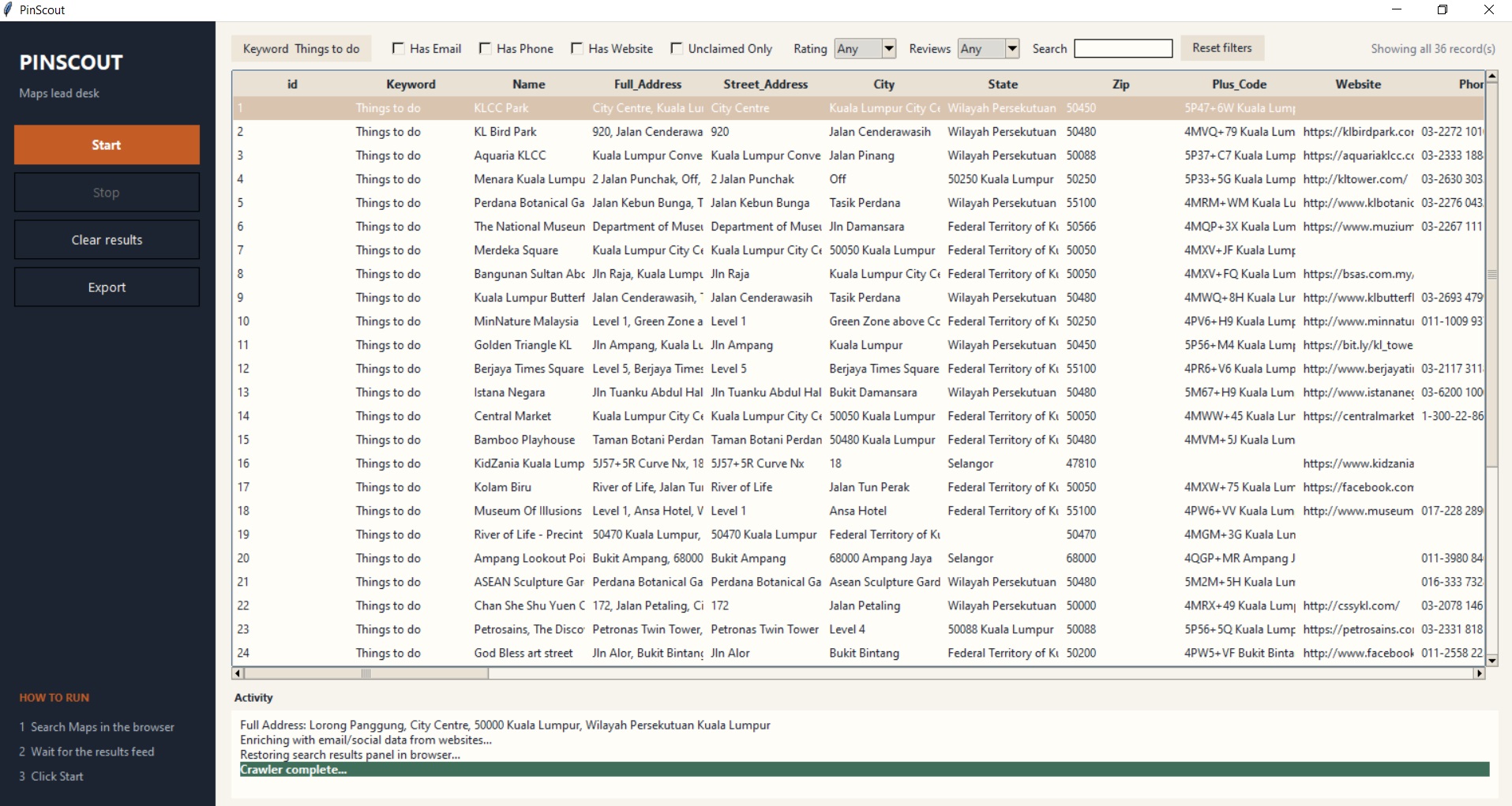
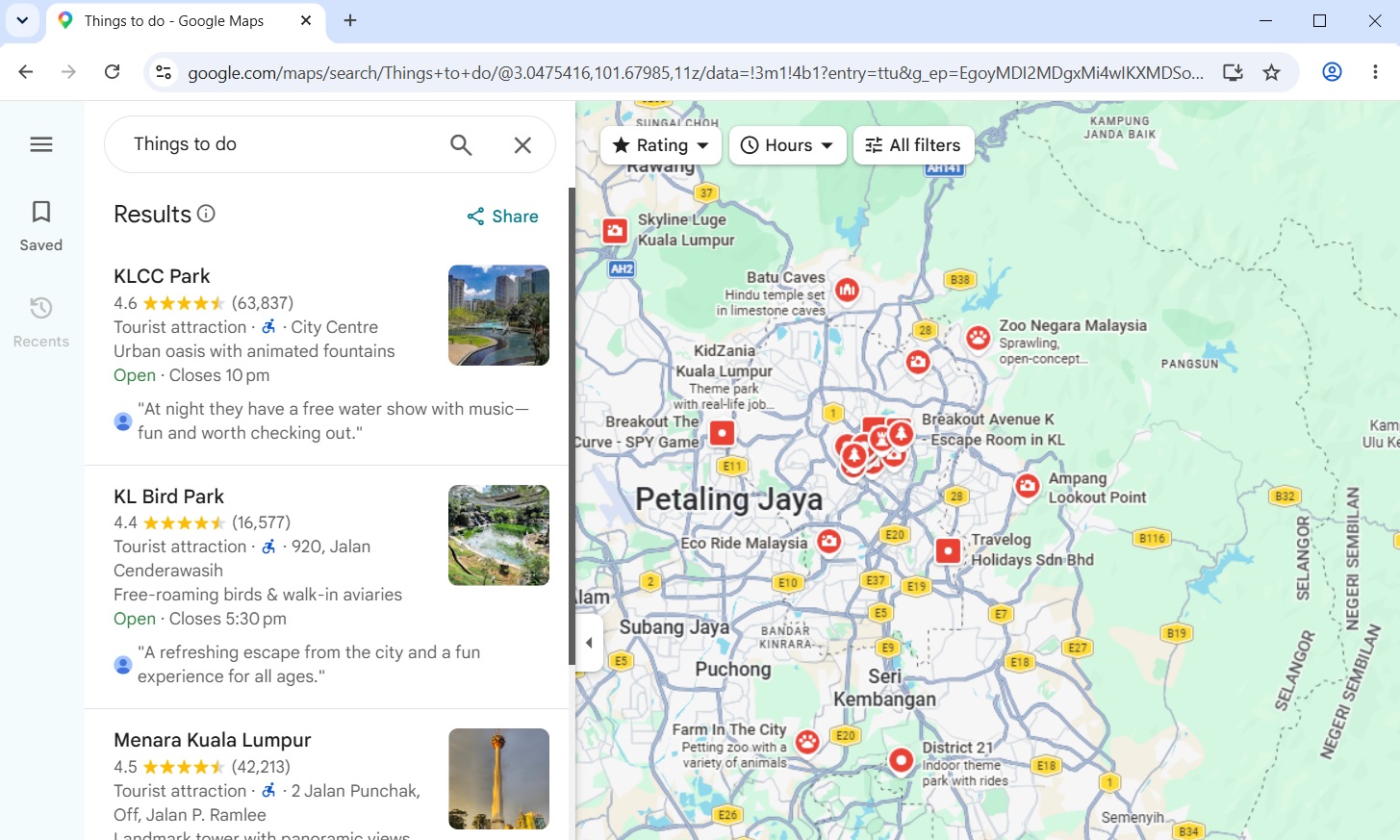
From a real PinScout session — dashboard beside the Chrome window you search in.
What it does
The same capabilities you get after activating your license — four bots in one desktop app.
-
Four bots, one Chrome window
Choose Maps, Google Business, LinkedIn, or Facebook Pages at launch, or switch later from the Mode list. Chrome opens on the matching site.
-
You search, PinScout extracts
Opens your installed Google Chrome (not a hidden browser). You run the search yourself; PinScout reads the results feed and fills the dashboard.
-
Google Maps — 55 columns
Name, address parts, phone, website, email, socials, lat/lng, category, rating, reviews, star histogram, hours (Mon–Sun), amenities, Maps URL, and more.
-
Google Business listings
Clicks each card in the left list and scrapes the detail box — hours by day, services, rating, reviews. Set a record limit before Start.
-
LinkedIn people search
Pulls headline, company, experience, education, certifications, skills, languages, about, connections, and contact info from people-search profiles.
-
Facebook Pages
Company and Pages search: about, website, phone, email, location, hours, likes, followers, rating, reviews, and Instagram.
-
Customize extract fields
Tick which columns to scrape and export for the current bot. Optionally remember the set for future runs.
-
Website contact enrichment
For Maps and Google Business, visits each site to pull emails and socials (Facebook, X, Instagram, YouTube, LinkedIn, TikTok, Pinterest).
-
Filter & filtered Excel export
Has Email / Phone / Website, Unclaimed Only, min rating, min reviews, live search. Export writes only the filtered subset to .xlsx.
-
Cover photos on export
Downloads main cover photos to output/photos/ only when you click Export — keeps scraping fast. Already-scraped URLs are skipped if you Start again.
How to run
-
01
Launch
Start PinScout and pick a bot. Chrome opens on Maps, Google Business, LinkedIn, or Facebook.
-
02
Search in Chrome
Type your query on that site (e.g. “Coffee Shops in Austin” or a people search).
-
03
Start in PinScout
Click Start. Google Business asks how many records. The live table fills as listings extract.
-
04
Filter & export
Filter the grid, then Export for Excel + cover photos.
After purchase: download the installer, then activate with your Stacklane license key. Dev builds need Python 3.10+ and Google Chrome.